Learn how to setup organizations for your hhimagehost events. “Organizations” provide your clients one home page url where they can see all events for their organization. Examples of this is when you provide photography for multiple events for a school (underclass, football, tennis, volleyball, band, etc).
WHAT YOU’LL NEED
- An active hhimagehost account
STEP 1 CREATE AN ORGANIZATION
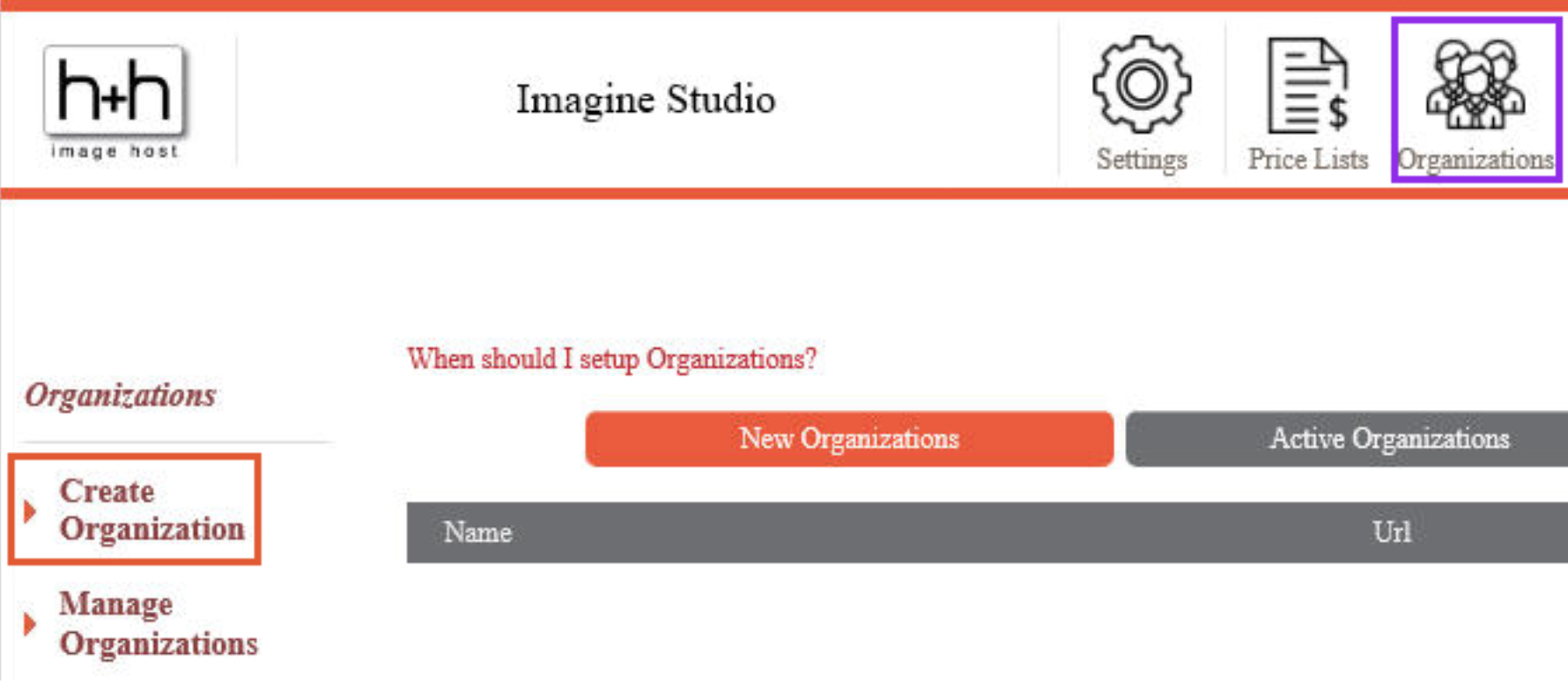
 | Login to hhimagehost.com Click on Organizations icon Click “Create Organization” |
STEP 2 NAME ORGANIZATION
 | Enter organization name Enter URL (note – this appends to studio URL) |
STEP 3 [OPTIONAL] PROVIDE ORGANIZATION IMAGE
 | Click to add an event image Typically use an image of the school building, mascot, or school logo |
STEP 4 WELCOME GREETING
 | Type welcome greeting, which will be seen by customers visiting your organization page Click Save |